What Is Architectural Visualisation?
Architectural visualisation is the production of photoreal images, films and interactive scenes that show a building before it is built.
Architectural Visualisation
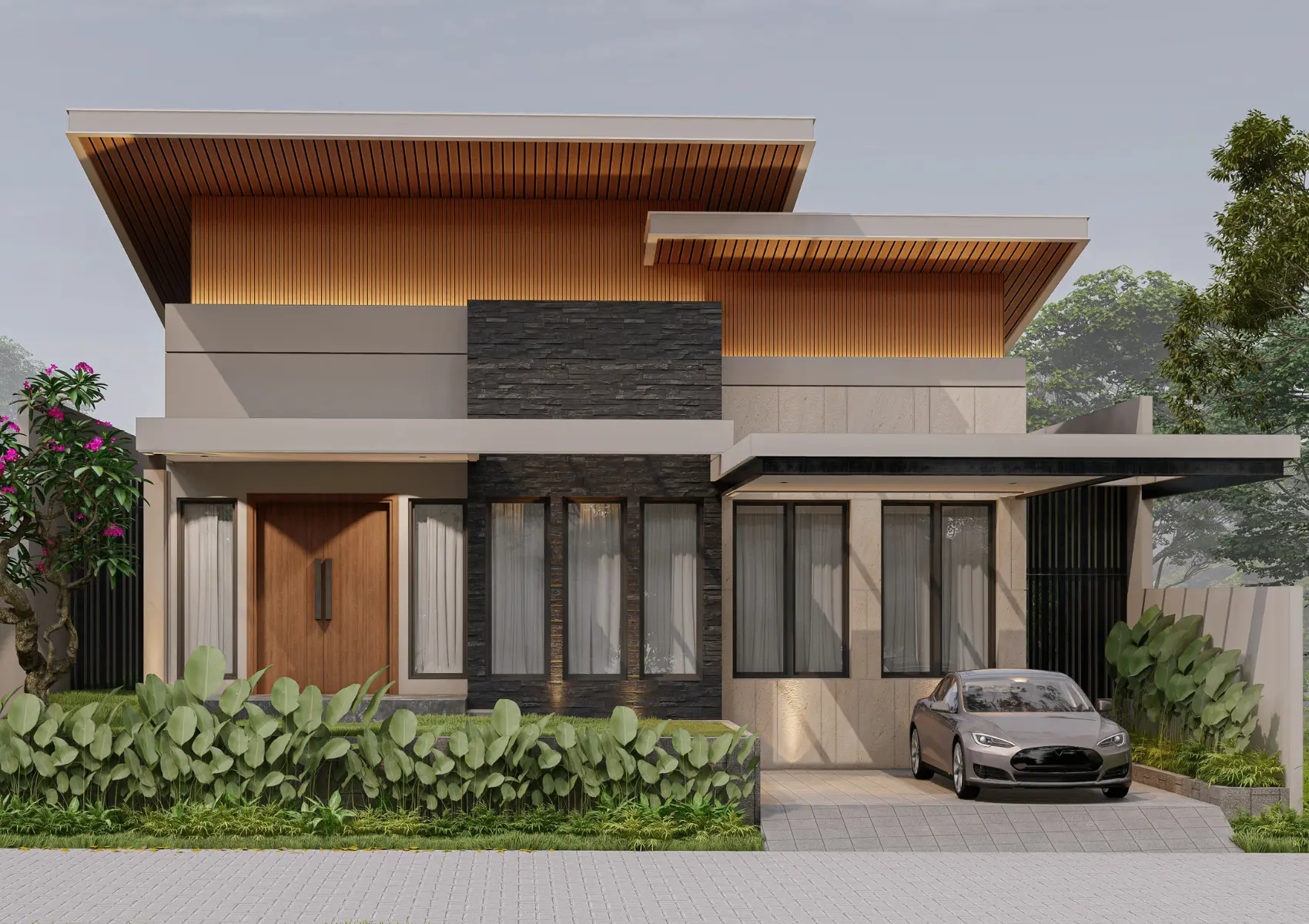
What does architectural visualisation produce?
Architectural visualisation produces CGI stills, verified views, photomontages, animations, 360° tours and real-time scenes. Each output serves a different stage of a project.
Who uses architectural visualisation?
Architects use it for design review. Developers use it for planning applications and off-plan sales. Planning consultants use it to assess visual impact.
Is architectural visualisation the same as rendering?
Rendering is one step inside architectural visualisation. Visualisation also includes modelling, site context, lighting, composition and post-production. Archviz and architectural visualization are alternative spellings of the same discipline.
Which software does architectural visualisation use?
UK studios use 3ds Max with Corona or V-Ray for stills and Unreal Engine 5 for real-time and animation. Source files arrive from Revit, SketchUp, AutoCAD, ArchiCAD or IFC.
How does visualisation turn drawings into images?
Visualisation turns drawings into images through modelling, camera selection, materials, lighting and output preparation. A model establishes the building geometry, but it is not the finished image. The camera selects what the viewer sees. Materials describe surface behaviour and texture. Lighting establishes how those surfaces appear. Rendering calculates the image, while post-production prepares the final presentation. Each stage depends on information from the previous stage, which is why an early geometry correction is different from a final colour adjustment. The finished view describes the supplied design; it does not replace drawings or certify construction accuracy.
What is the difference between a model and a render?
A model stores spatial geometry; a render shows that geometry from a selected viewpoint. The same model supports many images, although each camera requires suitable visible detail. An interior model prepared for one room does not automatically include every adjacent space. A building model prepared for a street-level view does not automatically contain the landscape needed for a distant aerial image. Define the image set before modelling so the geometry covers the required views. Working-model ownership and image usage are also separate contractual questions. Receiving a final picture does not automatically grant the right to redistribute the entire scene.
Why do camera and composition decisions matter?
Camera and composition decisions determine which architectural relationships the viewer understands. A close view emphasises material and detail. A wider view explains building form and context. An elevated view shows site layout, while an eye-level view communicates arrival and frontage. Camera height, direction and field of view affect perceived proportions. Extreme perspectives distort space or hide important neighbours. Technical evidence requires an agreed camera method; marketing imagery requires a composition that communicates the proposal clearly. Approval of the viewpoint before detailed finishing prevents extensive rework after the scene has been completed.
How are still, moving and interactive outputs different?
Still outputs present fixed views, moving outputs present a sequence, and interactive outputs respond to navigation or selection. Stills offer controlled composition and straightforward publication. Animation establishes a camera route and needs continuity between frames. Panoramas give viewing freedom from fixed positions, while real-time scenes generate the view as the user moves. Interactive delivery also includes interface, hosting and performance requirements. Select the format against the audience and decision rather than novelty alone. A conventional image set remains useful for print, planning boards and visitors who do not use an interactive viewer.
What does visualisation not establish?
Visualisation does not establish planning consent, construction compliance or measured environmental performance. An attractive daylight scene is not a daylight study. A rendered façade is not evidence that the material meets a fire or durability requirement. A furnished room does not establish verified floor area or accessible circulation. Those questions need the appropriate drawings, specifications and technical assessments. Keep image captions and accompanying statements within the information actually represented. Distinguish approved details from indicative elements so a viewer understands what the image shows and what remains subject to a separate design decision.
How does a reader assess the usefulness of a visualisation?
A useful visualisation answers a defined question using consistent design information. Check whether the viewpoint shows the relevant architecture, whether the materials match the specification and whether the surrounding context explains the site. Compare a set for consistency between elevations, interiors and landscape. Look for an approval record and a stated design revision. Technical representations need the corresponding method and presentation specification. The value of the image lies in how clearly it communicates the proposal, not in a claim that photorealism alone makes every depicted feature accurate.
What information belongs in the rendering brief?
A rendering brief records the purpose, audience, approved design information and required deliverables. Start with the decision that the images need to support: review a material palette, explain a proposal to a planning team or present a property to prospective occupiers. These purposes lead to different viewpoints and different standards of evidence. Record the project address, building use, design stage, required view count and delivery dates. Identify the person who approves the work and consolidate feedback through that person. Supply the latest plans, elevations and sections together with the revision register. A coordinated 3D model reduces interpretation, but it still requires a check against the drawings. Include a materials schedule, landscape information and references for finishes. Mark unresolved elements rather than allowing assumptions to enter the final image. Separate existing features, proposed works and future phases. For refurbishment projects, photographs of retained fabric explain conditions that drawings alone do not describe.
What does a first-draft review assess?
A first-draft review assesses geometry, composition and visibility before detailed finishing. The review establishes whether the chosen camera explains the intended subject without hiding important relationships. Check that principal elevations, room proportions, access routes and relevant neighbouring features read clearly. A neutral material or clay review keeps attention on structure and viewpoint. Approving the composition at this stage reduces the risk of rebuilding a finished scene after the camera changes. Feedback works best as one marked-up document with numbered comments. Identify the image, location of the change, intended result and source of the correction. Distinguish a modelling correction from a new design instruction. Use the same drawing revision for every reviewer. A material approval is separate from geometry approval: both need explicit sign-off. Record accepted assumptions so later rounds do not reopen decisions unintentionally. The written quotation defines the number of review rounds and the treatment of additional changes.
Which delivery details need agreement?
Delivery specifications establish image dimensions, aspect ratios, file formats and intended uses. Website images, printed brochures, exhibition boards and large-format hoardings have different requirements. Agree the largest intended print size early, because enlarging a finished low-resolution image does not recover missing detail. Keep a high-resolution master and create optimised web versions from it. Confirm whether the commission includes individual images, a coordinated campaign set or moving and interactive outputs. Usage rights, source-model ownership and third-party asset licences belong in the written agreement. A rendered image is not automatically a licence to redistribute the working scene or every asset within it. Confirm the permitted channels and any restrictions on re-use. Keep filenames and image descriptions consistent with the project and viewpoint. For publication, record which drawings and materials the final output represents, particularly when imagery continues to circulate after the architectural design changes.
Which output matches the purpose?
The output follows the decision, source information and required evidence standard.
| Output | Purpose | Inputs |
|---|---|---|
| CGI still | A fixed design or marketing viewpoint | Coordinated drawings, materials and camera brief |
| Photomontage | A proposal within a site photograph | Design information and agreed photography |
| Verified representation | Documented assessment evidence | Photography, survey references and method |
| Animation | Movement between architectural spaces | Storyboard, model coverage and output specification |
Commission this work: exterior cgi rendering. See architectural visualisation pricing.